


Early Access · A Parker Softworks LLC product
Design the network before you build it.
Physical & logical infrastructure design · Windows desktop · runs fully offline
Model the racks, cabling, floor layout and IP space of a site in one place, then hand the contractor an SOW and a bill of materials generated from that same model — so what gets ordered and installed matches what was designed. Runs on a Windows desktop with no cloud in the working path.
01 / Capabilities
Plan it once, and hand over documents that match
Cable runs measured on the routed path
Mark the building's column grid — click two lines, or detect them from the imported plan — and every run is measured the way it gets installed: out to the nearest column, along the grid to the cabinet, plus the rise and drop at each end. The same measure drives the validator, the fibre backbone and the BOM.
SOW and BOM exports
Scope and materials generated from the plan, so the documents a contractor works from match what was actually designed.
A working model from your floor plans
Import a 2D drawing and build the site against the real building rather than a sketch, with rooms, racks and devices where they actually go.
OT/IT segmentation, checked
Zones and conduits derived from your VLAN design and graded against IEC 62443, so OT sharing a segment with IT — or an OT-to-IT link with no boundary device — is a finding rather than a surprise during an audit.
Air-gapped operation
No cloud dependency for the work itself. Built for manufacturing plants and secured sites where outbound connectivity is not on offer.
Reads your live estate
Discovers what is actually deployed over the standards your equipment already speaks, without agents and without leaving your network.
IP space allocation
Assign and track addressing alongside the physical plan, so drift between the logical and physical designs gets caught instead of discovered later.
02 / Screens
The product, running
Screenshots of the sample facility, captured from the running application. Placement, reach and addressing are the three things a deployment gets wrong, and they go wrong together.
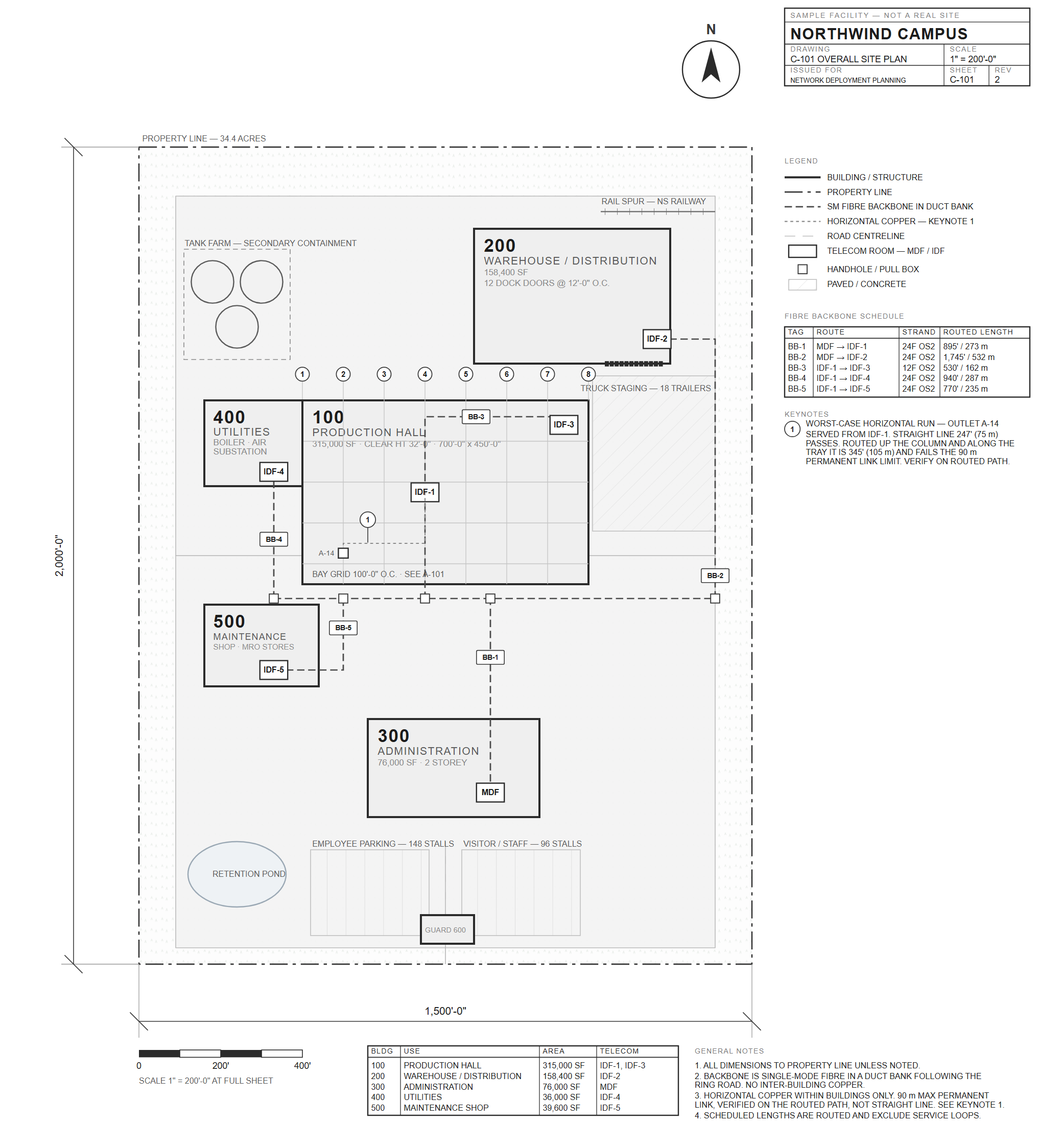
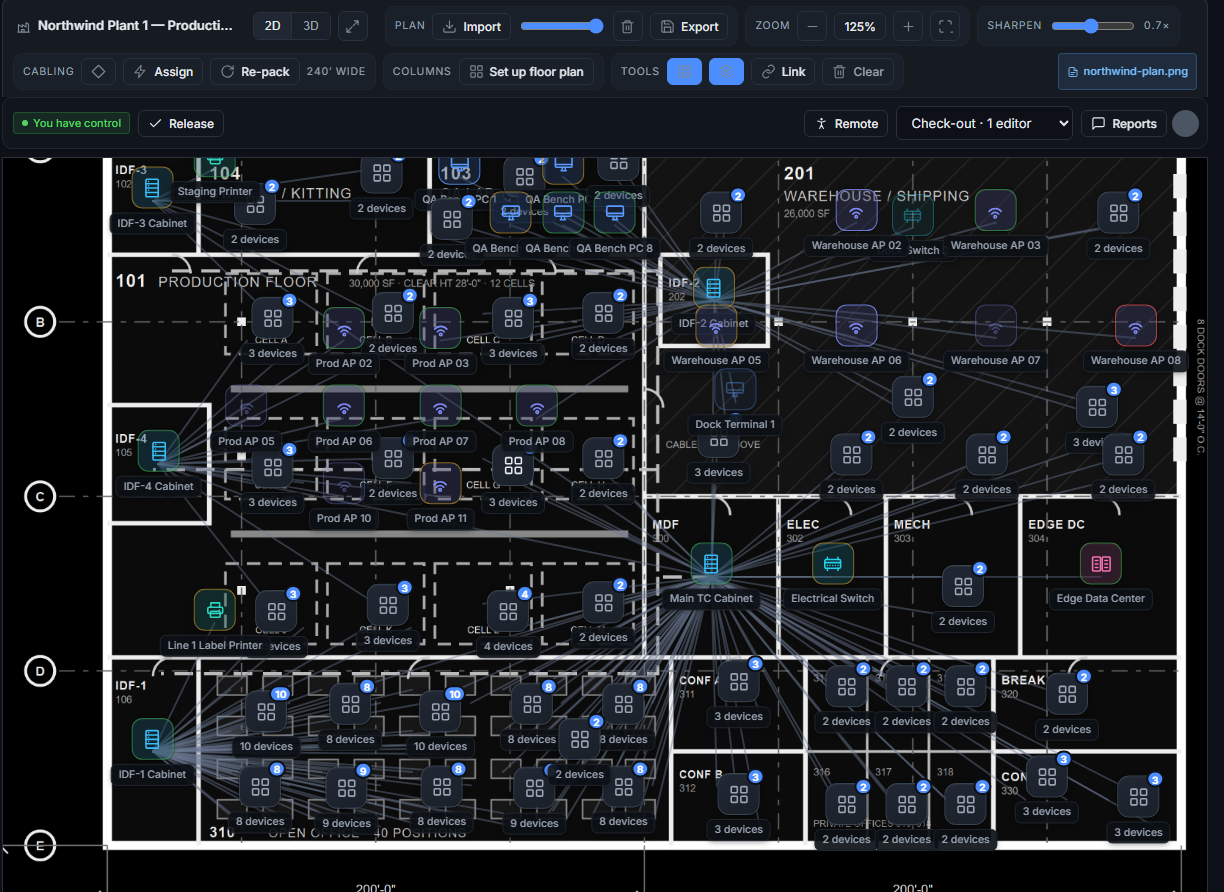
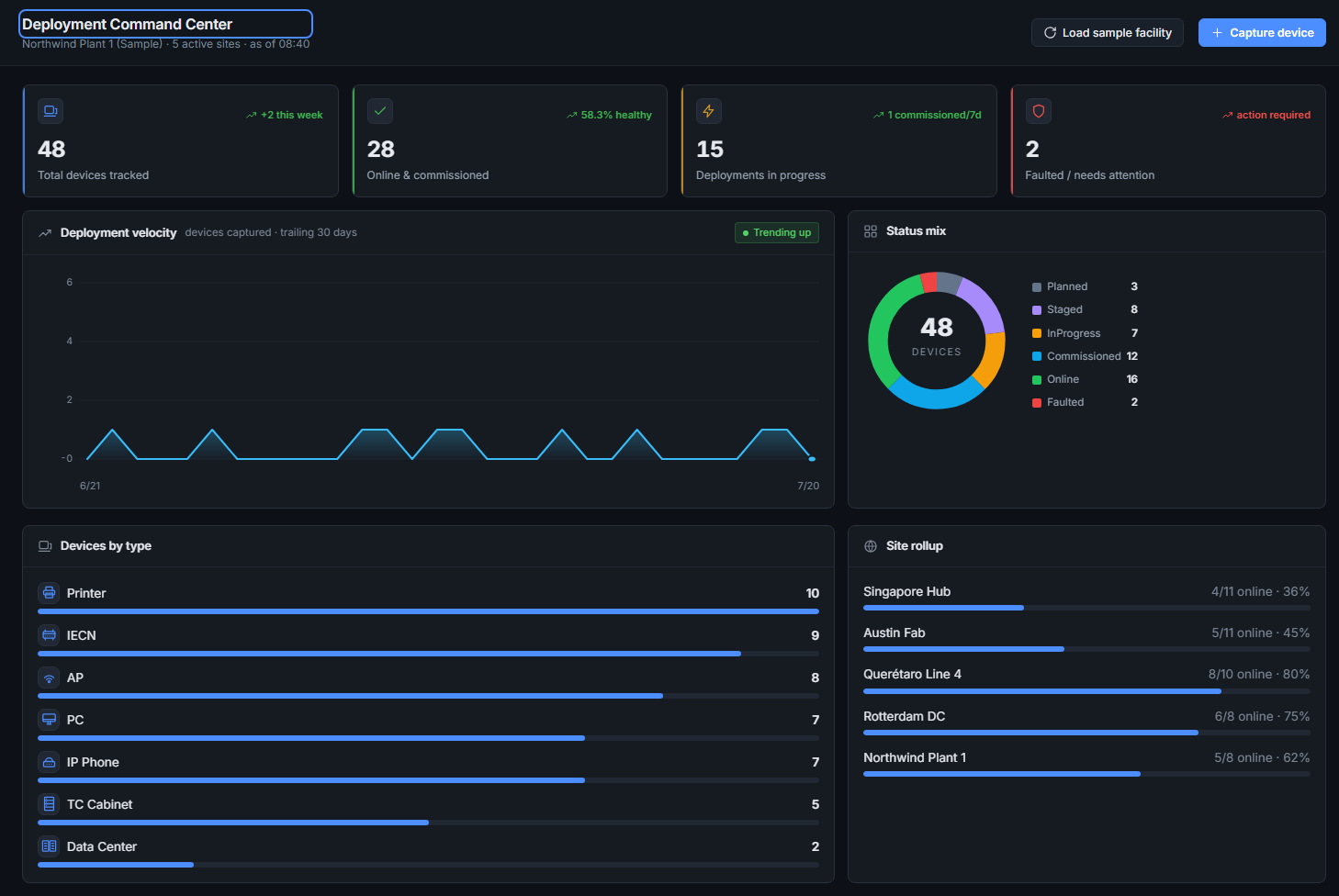
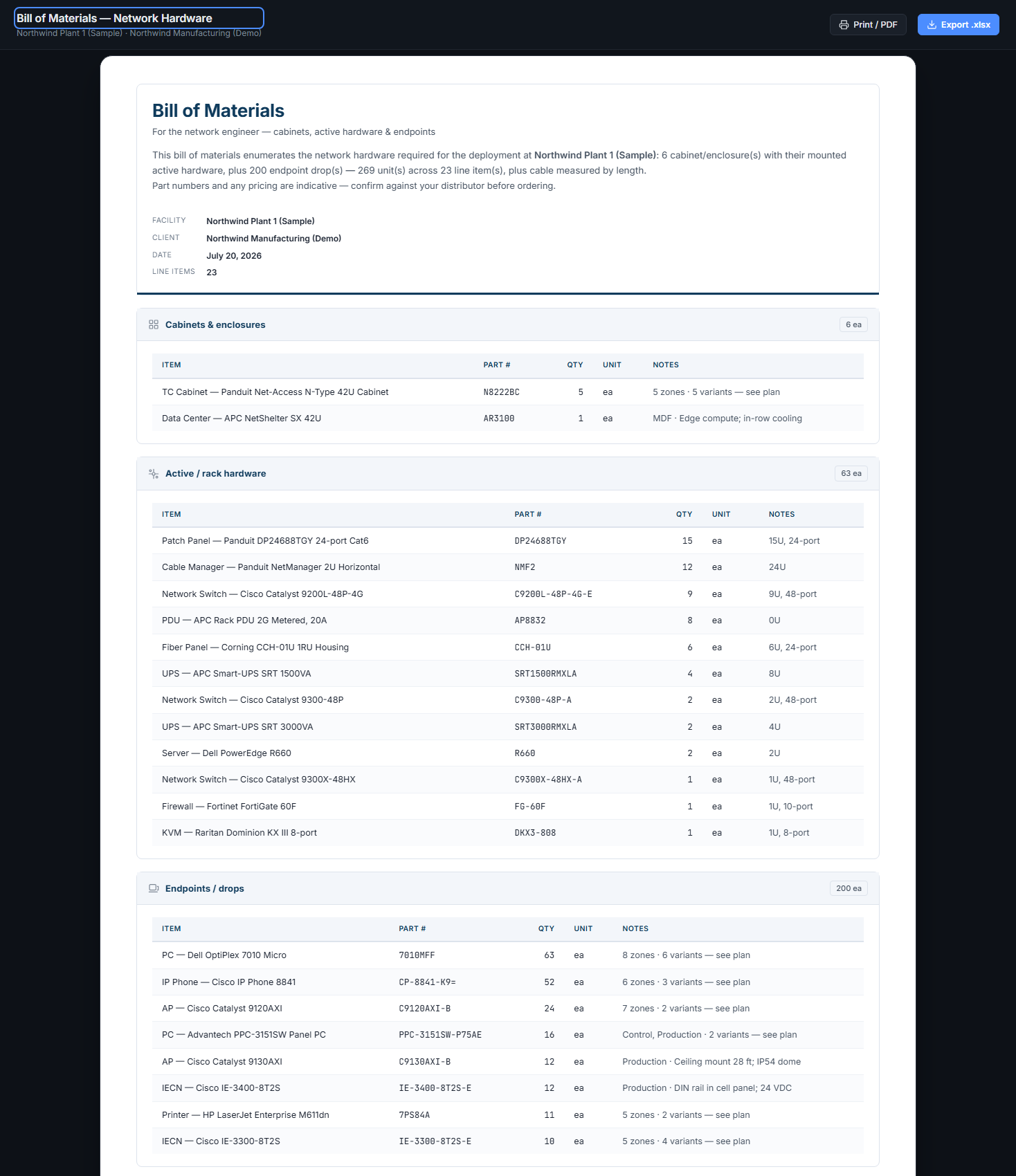
Captured from the running application — sample data
03 / Questions
The questions we get asked first
Answered by showing the product doing it. Each clip is an unedited screen recording against the sample project — nothing staged, nothing sped up. The third one is the one to watch if you only watch one.
Do I have to redraw my site?
Unedited screen recording · sample facility
What does it hold about each device?
Unedited screen recording · sample facility
Does it actually catch anything?
Unedited screen recording · sample facility
What comes out at the end?
Unedited screen recording · sample facility
The obvious next question is what it does with your site
That one we cannot answer with a sample facility. Send a floor plan and rough device counts and we will walk through what the model looks like for your building — the reach that fails, the closets that end up over-served, the materials that fall out of it. If it is a poor fit we would rather say so on a call than after you have installed something.
04 / How it works
It runs where the work is
There is no cloud in the path between you and your network. That is what makes it usable on a plant floor with no route out, and it is the constraint the whole product is built around.
On your machine
Install and work. Nothing to provision, no tenant to configure, and no service of ours exposed to your network.
Inside your network
It reads the estate from where you already are, over the standards your equipment speaks. No agents on your devices.
And nowhere else
No cloud in the working path and no telemetry carrying project data. What you plan on the site stays on the site.
05 / Protocols
What it speaks
Standards and transports, not vendor SDKs. If your estate is mixed and partly old — and it always is — this is the part that decides whether a tool is usable.
| Protocol | What it does | Where it earns its place |
|---|---|---|
| NETCONF | Candidate datastore with confirmed-commit — lock, pre-check, edit, validate, verify, commit | Changes that roll themselves back if the session drops |
| SNMP | v2c and v3/USM with engine discovery — SHA-256 auth, AES privacy | Near-universal across vendors and generations |
| SSH | Console access with trust-on-first-use host key pinning | Older estate that offers nothing structured |
| ICMP | Reachability and liveness | Fast presence checks across a subnet |
06 / Requirements
Before you ask
Stated plainly, because the answers change whether this fits your environment — and finding out after install is worse for both of us.
- Platform
- Windows desktop
- Network access
- Local only — it reads your estate from inside your own network
- Internet
- Not required for planning or for day-to-day use
- AI assistance
- Optional, and runs locally. No project data is sent anywhere
- Editing
- Single editor at a time, with check-out and release so a second window cannot overwrite your work
- Licensing
- Per seat, issued on approval during early access
- Values and responsibility
- In early access and testing, so values and designs can be wrong. Check them against their source and have a qualified person review designs before they are used, following your company's training, procedures and policies. You and your site's qualified people are responsible for decisions made with them, not Parker Softworks. Not a safety, alarm or control system. Report a wrong value to hello@parkersoftworks.com.
07 / Early access
Start a conversation
NetDeploy Studio is in early access and onboarded by hand, which means a real conversation rather than a download link. Tell us about the site — its size, what is already documented, whether it is air-gapped — and we will come back within two business days with a straight answer about fit. Attach a floor plan if you have one and we will look at it before we reply.
No newsletter, no sales sequence, and we do not share your details.
08 / From the same studio
Built alongside the rest of the toolkit
NetDeploy Studio is one of several tools Parker Softworks LLC builds for the people who run networks and plants. They are designed to sit beside each other.